How to connect 1 MacBook to 2+ AirPods

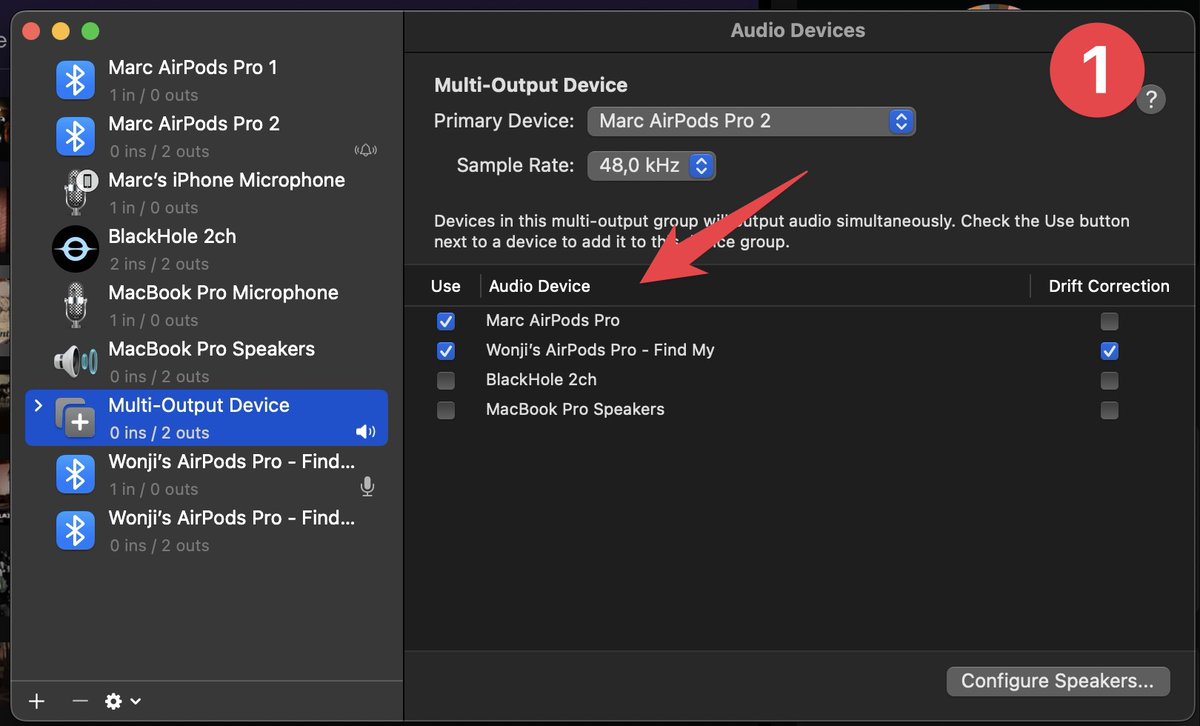
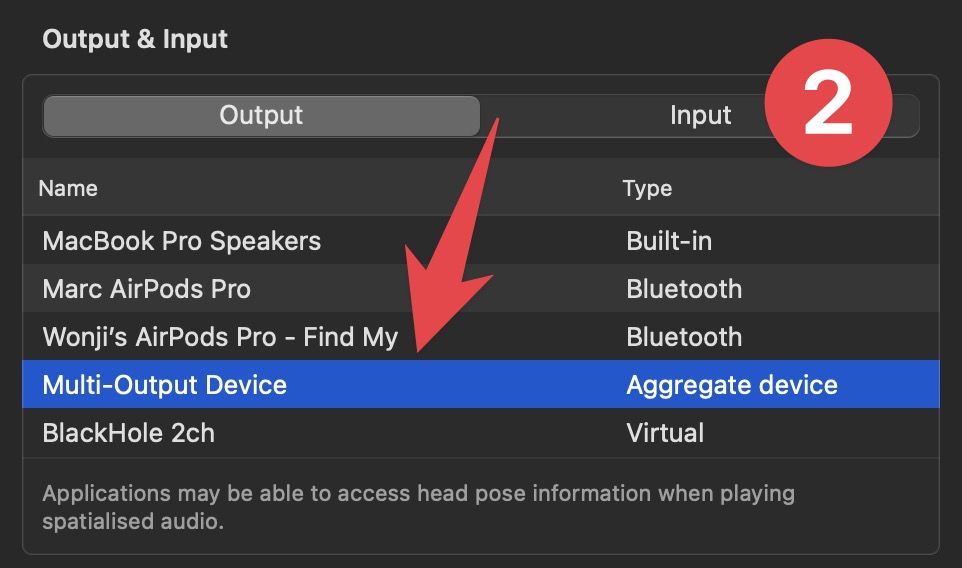
How to connect 1 MacBook to 2+ Airpods: 1. Pair both AirPods 2. Open the Audio MIDI Setup app, create a new channel, and aggregate the 2 Airpods 3. Open the Settings app > Sound output > select the new channel. 4. Enjoy movie with partner at noisy airport